Create lookalike Meta audience based on MIP export

< 1 min leestijd

Objective: Create a lookalike audience in Meta based on a Custom Audience exported from MIP.

Terms
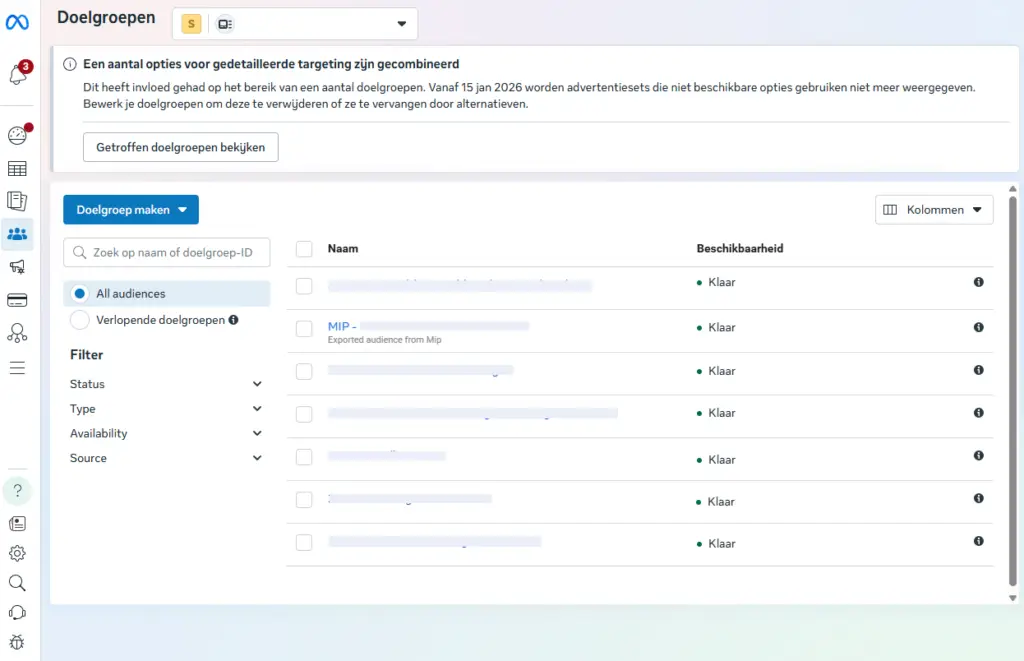
  • MIP exports are visible in Meta Ads Manager → Audiences.
  • The target group status is Ready.
  • Ideally, the source list should contain at least 300 individuals.

Steps #

1) Open the appropriate target group #

  1. Go to Meta Ads Manager (https://adsmanager.facebook.com/adsmanager/audiences?)
  2. Open Audiences
  3. Find and select the MIP target group (e.g., MIP – …)

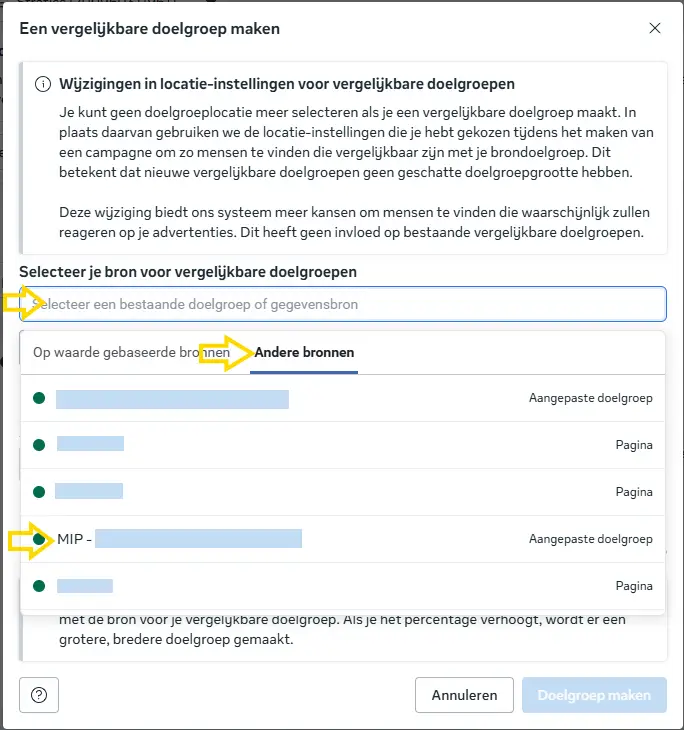
2) Create a lookalike (similar target group) #

  1. Click on Actions in the top right corner.
  2. Select Create lookalike audience

3) Set the lookalike in #

  1. Source: select the selected MIP target group ("other sources")
  2. Size / percentage:
    1. Start with 1% (most comparable)
    2. Optional: create additional variants of 2% and 5% for upscaling.

4) Create the target group #

  1. Click on Create Target Group
  2. Wait until the status is Ready (may take several minutes to up to 24 hours).

Best practice (recommended) #

  • Create separate lookalikes per percentage (e.g., LAL 1%, LAL 2%, LAL 5%) for greater control and better testing.
  • Use the lookalike in campaigns via Ad set → Audience → Custom audiences.
Updated on2026